How to Play Pixel Smash Ball
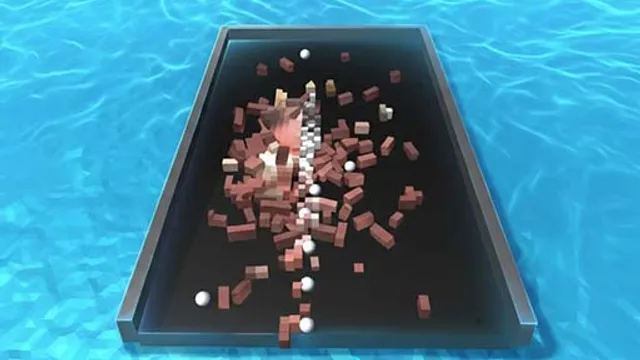
A wall of bright pixel blocks sits at the top of the screen and a ball waits at the bottom. Click or tap to send it up, and it starts bouncing — off blocks, off walls, off whatever it meets — destroying pixels as it goes. Clear every block on the screen and the level is done. It’s the kind of game you understand in one launch and can then spend an hour on, which is exactly the point.
The difficulty climbs as the block layouts get less forgiving. Early screens are wide open, so almost any angle chews through something. Later ones leave a handful of stubborn blocks tucked into corners the ball reaches only from one specific direction, and hitting that direction takes real precision. The ball also moves quicker than your instincts expect once it gets going, so a lot of the challenge is reading its path a bounce or two ahead instead of reacting to where it currently is. Aim carelessly and you’ll spend a dozen launches chipping at the edges of a wall you could have opened up with one good angle.
Tips for Clearing Levels
- Punch a hole in the wall. Getting the ball behind or inside a block cluster lets it ricochet around in there and clear a huge amount on one launch.
- Aim at angles, not straight up. A near-vertical shot comes straight back down. A diagonal launch travels further and touches more blocks per bounce.
- Save corner blocks for a bank shot. Blocks tucked in corners are usually reachable only off a wall, so plan the rebound instead of firing at them directly.
- Watch the bounce ahead of the ball. Predicting where it’ll be next makes your next aim far better than tracking where it is right now.
Frequently Asked Questions
Is Pixel Smash Ball free to play?
Yes — free to play in your browser, nothing to download.
How do I clear a level?
Destroy every pixel block on the screen. Once the board is empty, you move on to the next one.
Does it work on mobile?
Yes. A single tap aims and launches the ball, so it plays the same on a phone as it does with a mouse.